
Add custom badges to menu items
Badges help customers navigate through your menu or attract attention to particular items.
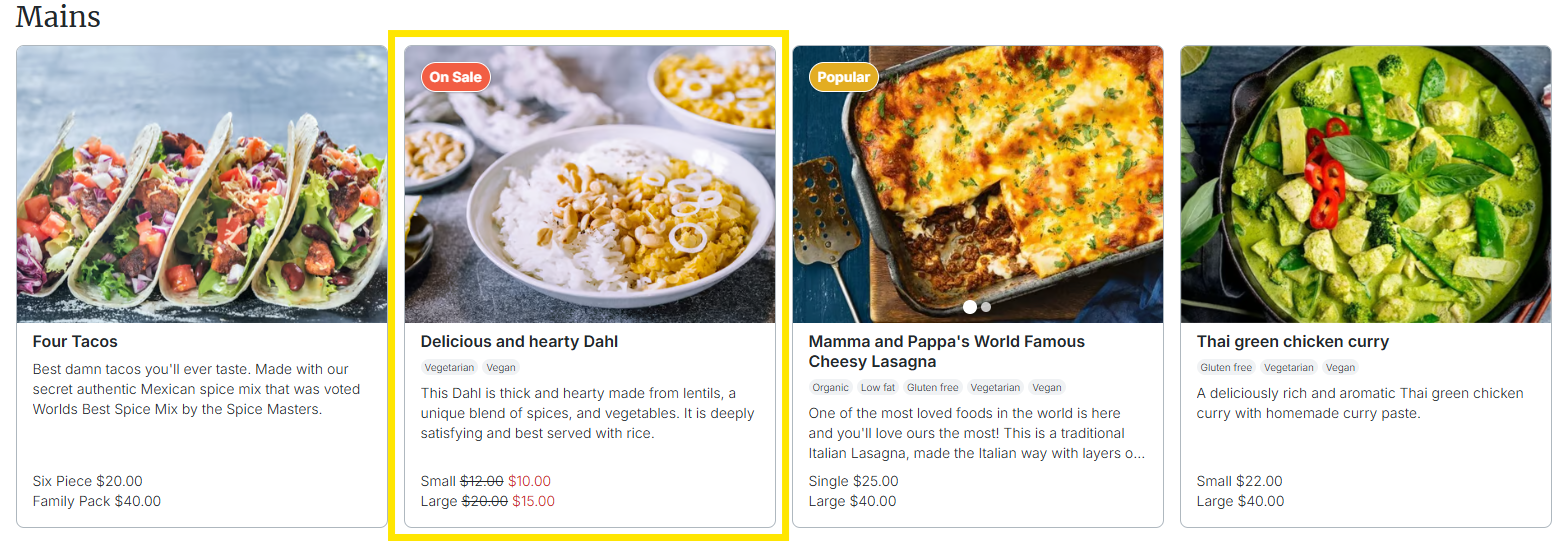
About custom badges
Badges help customers navigate through your menu or attract attention to particular items.
In Settings > Menu Badges you can opt-in to have certain badges applied automatically. These automated badges include 'Low stock', 'Sold out' and 'Popular'.
In addition to automated badges, you can create your very own custom ones. Custom badges can be manually applied to items on a menu via the menu builder. Examples include:
- ‘Chefs choice’
- ‘Recommended’
- ‘Frozen’
- 'On sale'
- 'New item’
How to create a custom badge
How to add a badge to a menu item
Additional Information
Need more information? Contact Cookaborough Support:
✉️ [email protected]
Did this answer your question?